The following instructions are for connecting a second headset PC to your BlueRoom Simulator.
- Set up the second headset PC hardware and headset exactly as you have for the first PC. We recommend placing the second headset PC underneath both the facilitator PC and the first headset PC.
- Ensure the second headset PC is plugged into the router/switch with a LAN cable.
- Ensure the volume on the second headset PC is muted. The sound will come from the first headset PC.
- In Mission Control on the main PC do the following:
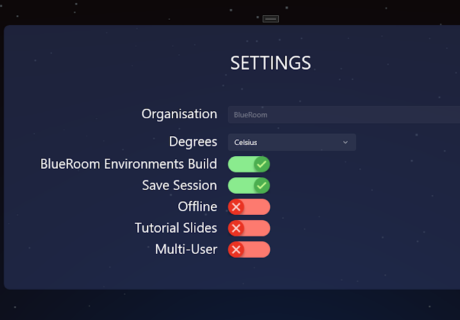
- Switch the Multi-User toggle to ON (green).
-
- Follow the IP address instructions here to ensure the second headset has the same IP address Mission Control is connecting to.
- Reboot all PCs and run Mission Control.